Invoice Maker - Tiny Invoice
- 4.4
- Rating
- 100.00K
- Installs
- Free
- Price
 Analysis by App-foxy
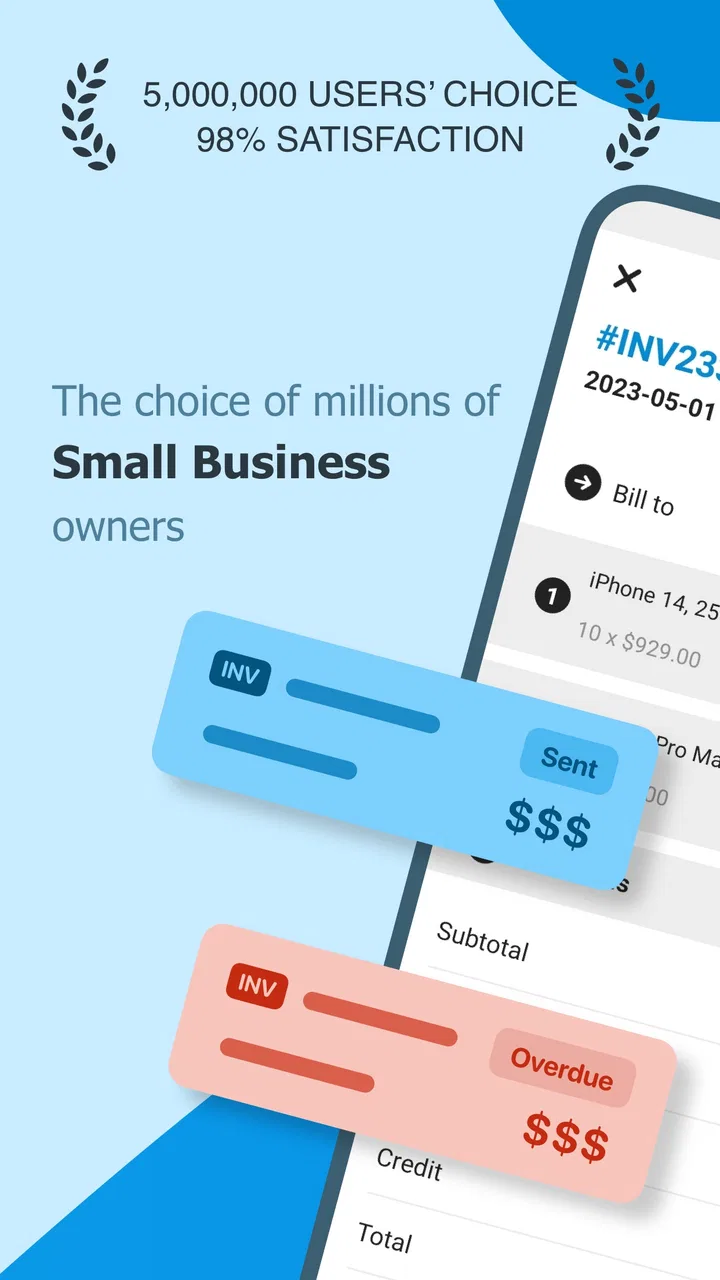
Writing an invoice after every small job is the kind of task that quietly steals time. I have often finished the actual work, opened a notes app, searched for an old template, checked a customer’s details, and then wondered whether I had included everything needed. Invoice Maker - Tiny Invoice is designed to remove that repeated administrative loop by turning an Android device into a compact invoicing and business-management tool.
After using it as a business app rather than treating it as a simple document generator, I found its main value easy to understand: it gives freelancers, tradespeople, independent sellers, and very small businesses a more organized way to prepare invoices without sitting at a computer. It is free to install, aimed at Everyone, and developed by TinyWork Apps. The app has built a solid user base, with more than 100 thousand installs and an average rating of 4.4 from roughly 3.5 thousand ratings.
That popularity does not make it perfect, and I would not choose it automatically for every company. Its strongest case is a person who needs to create invoices regularly but does not want a full accounting platform. Its weaker case is a growing business that needs deep inventory control, advanced tax workflows, team permissions, or detailed financial reporting. The important question is not whether it can produce an invoice; it is whether it makes your particular routine faster and less error-prone.
You May Also Like

 Blood Strike: 2.5 Anniversary
Blood Strike’s Loadouts Turn Every Drop Into a Tactical Gamble
A close look at Blood Strike’s custom loadouts: how fast access to signature weapons reshapes its battle royale rhythm, rewards preparation, and narrows the gap between fights.

 Pandora - Music & Podcasts
Pandora’s Music Is Easy to Start, but Harder to Recover
Pandora’s strength is its low-effort path from a seed to a station. Its weak spot is how much confidence it asks you to place in connection, setup, and quiet recovery.

 8 Ball Pool
8 Ball Pool Is Built on Rivalries, Rematches, and Routine
A close look at the rivalries, rematches, shared routines, and unanswered safety questions that turn a quick pool match into a persistent mobile community.

 Samsung Music
Samsung Music’s Quiet Strength Is Playing What You Already Own
Its reach comes less from spectacle than from dependable access to a personal library. That simplicity is both the app’s strongest retention engine and its ceiling.

 AccuWeather: Weather Radar
AccuWeather Review: A Quick, Clear Forecast for Everyday Decisions
For everyday plans, the best forecast is the one you can understand quickly. AccuWeather makes rain timing, radar, and local conditions easy to act on, with a few trade-offs.

 Hill Climb Racing
Why Hill Climb Racing Still Turns Crashes Into One More Run
A tiny car, a bumpy hill and one more upgrade: Hill Climb Racing keeps resurfacing because its simple chaos makes every near-miss feel personal.
More From Our News Desk



How the app fits into real invoicing work
I find this app most useful when invoicing is one small, recurring part of a job rather than a whole accounting process. Thinking through how customer details, service descriptions, and review habits fit together helps me judge whether a phone-first routine will genuinely save time; the next section looks at the choices that make that routine more dependable.
The recurring problem it solves
The most useful way to judge this app is to compare it with the usual alternatives. A paper pad is familiar but difficult to search and easy to misplace. A word processor gives you flexibility, but every new invoice may involve copying an old file, changing dates, correcting customer information, and checking that the totals still make sense. A spreadsheet is more structured, yet it can become awkward on a phone and often requires more setup than a one-person business wants to manage.
A dedicated invoice app sits between those options. It focuses the screen and the workflow around billing instead of asking you to design a document each time. That focus matters when you are standing at a customer’s property, finishing a repair, delivering a small order, or trying to send a bill before moving on to the next appointment.
In my experience, the real benefit is not the visual appearance of the invoice. It is the reduction in small decisions. You are not deciding where to place an item description, how to arrange a total, or which old document to duplicate. Once your business details and common customer information are prepared, the task becomes much more repeatable.
A first setup that is worth doing carefully
The first session should be treated as preparation rather than a quick test. Enter your business information slowly, use a consistent name for each customer, and think about how you describe recurring services. If you rush this stage, the app may still create invoices, but you will spend that saved time correcting inconsistent entries later.
I recommend setting up a small naming system before creating several invoices. For example, use the same wording for a standard service every time instead of alternating between abbreviations and longer descriptions. This makes old invoices easier to understand and reduces the chance of sending a vague bill. It also helps when a customer asks what a charge refers to several weeks later.
Another practical tip is to separate customer details from the individual job description in your own workflow. A customer may use you for different services, so the customer record should stay stable while the invoice items change. That simple distinction prevents an old project description from being carried into a new bill by mistake.
The current version is 6.0.11, and it runs on Android 6.0 or later. That makes it accessible on many older Android devices, which is useful for someone who keeps a dedicated work phone rather than upgrading frequently. At the same time, anyone using an older phone should be realistic about comfort: a larger, newer display will generally make data entry easier than a small screen with a worn keyboard.
What daily invoicing feels like
A realistic example would be a self-employed repair worker who completes two jobs in one day. At the first location, the worker can prepare the customer’s invoice while the details are still fresh instead of relying on memory at night. The second job may use a different combination of labor and materials, so the invoice can be built around that specific visit rather than copied blindly from the first one.
This is where a phone-based workflow can be more useful than a desktop alternative. The device is already nearby, and the invoice can be handled at the point when the work is finished. That reduces the familiar pile of unfinished paperwork that accumulates after several appointments. For a person working alone, avoiding a second administrative shift at the end of the day can be a meaningful improvement.
The same approach suits a freelance designer, tutor, cleaner, photographer, or small online seller. The app is most helpful when the billing process is fairly direct: identify the customer, describe the work or products, review the amount, and issue the invoice. If every job requires a complex contract, multiple tax treatments, or a detailed project budget, the simplicity that makes the app approachable may become a limitation.
I would also use a short review pause before sending anything. Check the customer name, the service wording, the quantity, and the final amount. Mobile convenience can encourage rushed entry, especially when you are between appointments. The app can organize the process, but it cannot replace a careful look at the information you entered.
Where it removes friction
The biggest friction removed is repetition. A business owner should not have to rebuild the same basic invoice structure from scratch every time. A focused invoice tool gives that routine a dedicated home, which is easier to maintain than a folder full of documents with names such as “invoice final” and “invoice final two.”
It also reduces the mental gap between completing work and billing for it. That gap is where forgotten charges, unclear descriptions, and delayed payments often begin. Creating an invoice while the job is still recent makes it easier to remember what was done and which materials or services should appear on the bill.
There is a second, less obvious advantage: consistency. Customers tend to trust documents that look and read as though they come from the same business each time. A repeatable app-based process encourages consistent descriptions and business details, even if you are not naturally organized. That does not turn a sole trader into an accounting department, but it creates a more dependable basic routine.
For people who move between locations, the phone format is another practical strength. You do not need to return to a desk simply to prepare a straightforward invoice. That is especially useful for service businesses whose work happens away from an office. The trade-off is that phone entry can be slower for long descriptions or large batches, so the app is better suited to short, focused billing sessions than to processing a whole month of paperwork at once.
When a free app is enough, and when it is not
The app is free to start using, but in-app purchases range from $4.99 to $199.99 per item. I would therefore avoid assuming that every useful capability is included without cost. Before building your entire business process around it, check which parts of your intended workflow require a purchase and whether those costs make sense for your invoice volume.
That pricing range also changes the way I would recommend testing it. A casual user who creates occasional invoices should begin with the free experience and see whether the basic process is comfortable. A professional user should test a complete cycle: create a realistic customer entry, prepare several different invoices, review them on the phone, and confirm that the resulting workflow suits daily work before paying for anything.
The app is not the right choice if you need a replacement for full bookkeeping. In that situation, a dedicated accounting service may be better because it can connect invoicing with broader financial records, reporting, and business controls. Likewise, a larger team may need shared access and role management that a lightweight mobile invoice tool is not intended to provide.
I would also skip it if your work depends on highly specialized billing rules. A simple invoice maker is attractive precisely because it avoids complexity, but that means it may not match a business with complicated recurring contracts, extensive product catalogs, detailed stock movement, or unusual compliance requirements. In those cases, the time saved during invoice creation could be lost during later reconciliation.
Small workflow choices that make a difference
One useful habit is to prepare invoices in two passes. In the first pass, enter the customer and job information without trying to perfect every word. In the second, read the invoice as if you were the customer. This catches unclear descriptions and makes sure the bill explains what was delivered rather than merely listing a number.
A second habit is to avoid using the invoice as a substitute for job notes. Keep the bill concise and customer-friendly, while maintaining your own more detailed record elsewhere if the work requires it. This prevents invoices from becoming long, confusing documents and makes them easier for customers to review.
A third trade-off concerns timing. Preparing an invoice immediately is efficient, but it can be inconvenient when you are still working or have poor attention at the end of a tiring job. In those cases, record the essential details promptly and finish the invoice during a planned administrative window. The app helps most when it supports a routine, not when it becomes another task performed hurriedly.
Finally, I would make a regular review of your saved business and customer information. A phone-based system is convenient partly because it remembers repeated details, but remembered information is only helpful while it remains accurate. A changed address, outdated business detail, or old service wording can quietly appear on future invoices if you never revisit the setup.
Who should use it
I would recommend Invoice Maker - Tiny Invoice to an independent worker who wants a practical way to issue straightforward bills from an Android phone. It is particularly suitable for people who work alone, travel to customers, create a manageable number of invoices, and value speed over advanced financial administration.
It can also be a sensible starting point for someone moving away from handwritten invoices or scattered document files. The app gives that person a dedicated process without forcing them to learn a large accounting system first. The Everyone content rating makes it broadly approachable, although the real suitability still depends on the complexity of the business rather than the age classification.
I would be more cautious about recommending it to a company with several employees, a large catalog, complicated taxes, or a requirement for detailed business intelligence. Those users should compare the app with full accounting software before committing. A specialized platform may involve more setup, but that extra structure can save time once the business outgrows basic invoice creation.
My final take on time saved and reliability
Invoice Maker - Tiny Invoice succeeds when the recurring problem is simple: you need to turn completed work into a clear invoice without opening a computer or rebuilding a template. Its value comes from making billing a repeatable mobile task, and that can remove a surprising amount of end-of-day friction for a one-person business.
I like it as a focused business utility, not as a complete financial command center. The free entry point makes it easy to try, while the in-app purchase range means professional users should examine the cost of the features they actually need. The strong average rating and broad install base suggest that many users find the basic idea useful, but popularity should not replace testing it against your own billing routine.
My recommendation is straightforward: if your invoices are relatively simple and you want to prepare them where the work happens, this app is worth trying. Set it up carefully, use consistent descriptions, review every bill before sending it, and test the full workflow before paying for extras. If you need accounting, inventory, team collaboration, or complex compliance support, choose a more comprehensive alternative instead. For the freelancer or small operator who mainly wants fewer forgotten invoices and less paperwork, this is a practical time-saving tool rather than an oversized business system.
FAQs for Invoice Maker - Tiny Invoice
01What is Invoice Maker - Tiny Invoice used for?
Invoice Maker - Tiny Invoice is designed for freelancers, small business owners, contractors, and independent professionals who need to create and manage invoices from a mobile device. After setting up your business details, you can add customers, products, services, prices, taxes, discounts, and payment terms, then generate professional-looking invoices without relying on complicated accounting software.
02Can I create and send invoices from my phone?
Yes. The app is built around mobile invoicing, so you can prepare invoices while working with a customer or away from your office. Once an invoice is completed, it can generally be shared through available options such as email or messaging apps, depending on your device. Before sending, review the recipient address, totals, tax information, and payment details carefully.
03Does Tiny Invoice support estimates, receipts, or other business documents?
Besides standard invoices, Invoice Maker - Tiny Invoice may include tools for preparing related sales documents, such as estimates, quotes, receipts, or recurring invoices, depending on the version and subscription plan available on your platform. These features can be useful for organizing the complete billing process, but availability may vary between Android and iOS releases.
04Is Invoice Maker - Tiny Invoice free to use?
The application can usually be downloaded without an upfront charge, but some advanced features may require in-app purchases or a subscription. Restrictions can apply to document limits, templates, recurring billing, customization, cloud synchronization, or removing advertisements. Check the current pricing and trial conditions in the Google Play Store or Apple App Store before creating your billing workflow.
05Is my invoice information safe, and can I access it on multiple devices?
Invoice data may include sensitive customer names, addresses, contact details, and payment information, so users should review the app’s privacy policy and storage practices before relying on it for important records. Depending on the selected plan and platform, synchronization or backup options may be available, but you should still export important invoices and keep an independent copy for accounting purposes.
Pros
- Create and send professional invoices directly from your phone.
- Supports recurring invoices for regular clients and subscriptions.
- Includes expense tracking to help monitor business costs.
- Offers invoice templates with customizable details and branding.
- Works well for freelancers and small businesses on the go.
Cons
- Some useful features may require a paid subscription.
- Advanced accounting and tax tools are fairly limited.
- Customization options may feel basic for larger businesses.
- Cloud syncing and backups depend on account setup and connectivity.
- Managing many clients or invoices can become cumbersome on mobile.

Invoice Maker - Tiny Invoice
Gallery